Showing posts with label Reading Week. Show all posts

Monday, November 16, 2020

Game Fun

Games can be described by the 3 components Mechanics, dynamics, and aesthetics (MDA) or otherwise stated as rules – system – “fun”. The three reading selections this week and the synopsis below all address the term “fun” in relation to game design.

There are eight types of Fun outlined by the MDA. These eight are both a source of reference and player experience that blend together in many ways, and essentially what makes a game fun and enjoyable.


To date, the MDA papers define the '8 kinds of fun' sensation, fantasy, narrative, challenge, fellowship, discovery, expression, and submission, remain a source of reference and possibly the most popular list of player interactions combining in various forms to attract each player to a particular game.


“Fun is a byproduct of good design. It is also not essential for a good gamified system,” by Andrzej Marchewski

There are a variety of definitions to describe the term “Fun”. Both Oxford and Merriam dictionaries define Fun as an enjoyment, delight. But within the context of a game it usually refers to a form of pleasurable entertainment.
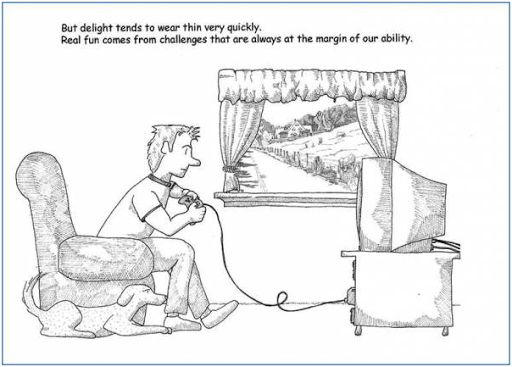
 Nicole Lazzaro conducted a study in 2004 which resulted in the “4 Keys to Fun: the game mechanics that drive play”. These keys are based on the players emotions during gameplay which  involved in defining how fun a game can be for different players. The first key (Easy Fun) gives the player an opportunity to explore the game, It isn’t demanding in terms of challenge and it relaxes the player. The second key (Hard fun) comes with a challenge and it’s when the player gets put in difficult situations which results in achievement. The next key is (People fun) is a multiplayer experience resulting in competition and participation. The last key (Serious Fun) is when the player has the freedom to change the world around them and their character.


The Concept of Flow is characterized as a balance between skill-challenge and the individual's enjoyment. When in flow the player is focused on the activity they are participating in. This gives a sense of reward and promotes further engagement in the activity.

Flow theory provides a good framework for analyzing motivation in gaming activities, in particular enjoyment, engagement and positive affect.


Figure 3: Graph showing the flow zone, where the game is not too easy where the players abilities are very high (Boredom), but also not too hard that the player is unable to complete the challenge (anxiety).


Theory of fun in game design is book written by Raph Koster in which he talks about how fun in games can give room for a large space for learning within the players involved. “Fun is the feedback the brain gives us when we are absorbing patterns for learning purposes.” – Raph Koster. Here Koster talks about the human’s ability to memorize and recognize a large array of patterns which can then be implemented in games. When our brain learns from a situation in the game whether it’s solving a puzzle or completing a quest, our brain recognizes this and dopamine is released signifying our fun in games.


There is a common thread in which many overlook games on the basis of just fun and entertainment. However, different games can teach us different things. Games can also be sectioned into different types depending on what they teach. For instance, Koster mentions Type 1 Games which require thinking, analysis and strategy techniques e.g Chess or Civilization. Type 2 Games refer to “reflex based skills” in games like shooters that require “sharp reflexes” and in fighter games that require “combo memorization and the execution”. 


“The gap between those who want games to entertain and those who want games to be art, does not exist.”

Koster concludes that by understanding how fun works in games, it will also lead to understanding of how fun is achieved in the creation of a game. This, in turn allows us to reflect and learn from our experience of the game.

Games help people to become more imaginative, engaging with their creative side of the brain and creating new ideas/designs that can be implemented in games. Being more creative when developing your game will help you see what challenges the player may face and what ones will help further improve the progression and also add to the player's determination to complete the story.


References:

Velev, A., 2016. Gamification Design: What’S Fun Got To Do With It?. [online] Megamification. Available at:<http://www.megamification.com/727-2//> [Accessed 16 November 2020].


Kaye, L. and Bryce, J., 2012. Putting The “Fun Factor” Into Gaming: The Influence Of Social Contexts On Experiences Of Playing Video Games. Available at: <https://core.ac.uk/download/pdf/9632557.pdf/> [Accessed 16 November 2020].


The Game Overanalyser., 2020. A Theory of Fun for Game Design | Raph Koster and The Art of Designing Fun Games. Available at: <https://www.youtube.com/watch?v=6sZJYA06z7Y&feature=emb_logo&ab_channel=TheGameOveranalyser/> [Accessed 16 November 2020].

Monday, November 2, 2020

Games GDD


What is the GDD for?


A Game Design Document (GDD) is a blueprint for the design and development of a game.

The GDD is a way of being creative and documenting the approach to the development of the game. Gonzale (1999) states that “ the important thing is to have something that describes your game project (or any other project for that matter) before jumping into production.( Gamasutra ) It should help to plan out your game. Though it is recommended that the GDD should be short it needs to be detailed enough so as game developers and artists can coordinate the development of the game independently whilst still keeping to the design. The GDD is a blueprint for how the game is going to be designed and built, similar to a mind map. In conclusion, the game design document is vital to making a game and it is important to have in order to describe your game project.


Image, game design exercise preview from lynda.com


How do we make one?


There are a variety of tools that could be used to create a GDD. These include word processing tools, visual tools like Powerpoint, or new web-based tools such as DunDoc. Each of these tools has their advantages and are a personal choice. Many of the examples shared via the internet are in Microsoft Word format. Romero Games(creators of Doom) favour a more visual tool such as PowerPoint. Whichever tool is used they should support the development of the game in an open and transparent manner.


What should be in it?


The GDD should be simple enough to read through details about your game design and concept. Schubert (2007), who was at the time lead designer for Bioware Austin, gave a GDC talk in about how to create design documentation, some of the most relevant elements include:

  1. Know your target.- Have a clear vision and understanding of what you want to make. Make sure your game is suitable and fits your target audience.

  2. Keep it short.  Keep it to the point and clear, the shorter they are, the easier it is to read, write, and maintain.

  3. Prioritize the design.  - Divide your game in order of importance e.g have a functional game. Concentrate on core mechanics and visuals, and then expand. 

  4. Illustrate. - Draw sketches of your plans that make it easier to structure and implement. Present what your game would look like as it’s important to have a clear idea of the visuals before you begin creating.

  5. Use user stories.- Describing the game through the player’s vision (Similar to what we did in the game vision statement).

Take into account the games users, their ideas may help develop future storylines or ideas.

  1. Invest in a good format. Take the time to structure your work so that it is easy to navigate.

  2. Use clear terminology. Don’t over-complicate the document. Make sure language is concise and accessible.

  3. Kill redundancy.  -Recycle your code - use variables, not hard code). Always reference the new section on your page to have a clean document. Avoid copy and pasting sections.

  4. Capture your reasoning - why did you make the choices you made? What led to that thought process?

References

Nachen, Lennart. 2014 Communication and Game Design Documents accessed 02/11/2020 http://acagamic.com/game-design-course/communication-and-game-design-documents/


Ferns, Shaun (2020) Readings Week 06 accessed 02/11/2020 https://cdmonline.ie/multidev1/reading-week-06/


 Gonzalez Leandro. 2016 How to Write a Game Design Document accessed 02/11/2020 

https://www.gamasutra.com/blogs/LeandroGonzalez/20160726/277928/How_to_Write_a_Game_Design_Document.php


Thursday, October 29, 2020

Unity Tutorial 04


Once again, the Unity tutorials were met with another layer of difficulty.  A key thing that I learned about the code in our IDE is that the Update and Start are referred to as method or function interchangeably in the video (which was confusing at the start). These two functions (or methods) automatically come with each new script that is made because they are components of the  :MonoBehaviour class.

 This lesson focused on making the animals spawn automatically without the need to press the ‘S’ key. I also needed to make sure that when the food hit the animals they would disappear.

Screenshot of Unity Tutorial

In order to do this, I learned to create my own custom function. Custom functions can have any name, but it would be wiser to name it by the task the code written code is meant to perform. Otherwise it would be confusing when there are more lines of code in your script.

I also learned about the InvokeRepeating function to call our custom function. It uses the custom method name  that I added in the start. It calls that method repeatedly over a set amount of time.

Box colliders are added to any  game object we want to interact with each other. For instance, in the tutorial,  all animal objects and projectiles had a box collider on them.  The trigger would then detect objects that collide with one another depending on the size you set the box collider around the game object. Once the trigger detected the box’s space between  the pizza and the animal they were both removed.

The challenge quiz wasn’t as bad as I had initially thought. The hints were very helpful :P. Overall, it did help me refresh what I had learned. Although I was unable to complete the bonus challenge.

Doing

  We are nearing the end of this semester and the book we’ve been working throughout the semester is in its final editing stages. This week,...